


CNCR: Leading LTE CPE Supplier
CNCR is a global leading supplier providing telecom access network solutions. Since the company was successfully listed in 2011, CNCR has always adhered to independent research and development and technological innovation, and successfully passed the highest level CMMI5 certification in the global software field.
-
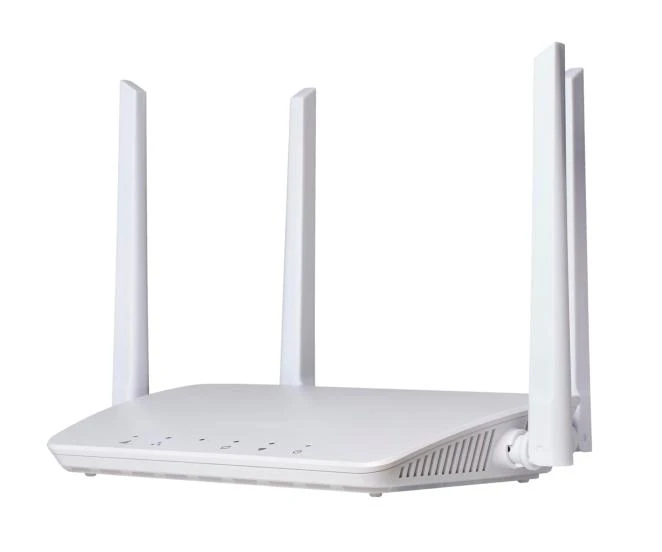
![LTE CPE 1FE Port 2.4G wifi]() LTE CPE 1FE Port 2.4G wifi• LTE external antennas & WiFi external antennas• Support Firewall: PORT Filtering/ Port Mapping• Usage scenario: Indoor, Home, office, etc.read more
LTE CPE 1FE Port 2.4G wifi• LTE external antennas & WiFi external antennas• Support Firewall: PORT Filtering/ Port Mapping• Usage scenario: Indoor, Home, office, etc.read more

Why Choose Us
Professional Engineer
500+ experts provides innovative solutions to ensure project quality and reliability.
Customizable R&D
Meet personalized needs, reduce costs, protect intellectual property rights, improve competitiveness, and enhance user experience.
Real-Time Support
7*24 hours global technical support service, quickly solve problems and improve user experience.
Certified Quality
CNCR products have passed various international certifications such as ISO, CE, ROHS, improve customers' market competitiveness.
Specifications
|
Hardware |
|
|
Interfaces |
1FE+USIM+WiFi |
|
Buttons |
Reset/WPS |
|
Indicators |
POWER, WiFi, LAN, DATA , LTE |
|
Power consumption |
≤12W |
|
Power adapter |
DC 12V,0.5A |
|
Operating temperature |
-20°C ~ +45°C |
|
Storing temperature |
-20°C ~ +60°C |
Benefits of LTE CPE
High-speed Internet Access: LTE CPE provides high-speed Internet access, essential for users who need to download or upload large files, stream video or music, or play online games.
Wireless Connection: Offer wireless connectivity, which enables users to access the Internet without a cable connection. It is very beneficial for people who want to connect to the Internet through various devices without using cables.
Multiple device connectivity: Connect numerous devices to the Internet concurrently. It is helpful for homes or businesses with multiple devices that require Internet access.
Easy to install
Easy to install and set up. It comes with a user manual that gives step-by-step instructions on how to install and configure the device.
Portability
Internet devices can be easily moved from one place to another, which is helpful for people who require Internet access in various locations.
Coverage
Make it possible for users to access the Internet in areas where wired connections are not possible or feasible. It ensures that people living in rural or unwired areas can still access the Internet.
Cost-effective
LTE CPE is cheaper than other methods of internet access, such as satellite or wired connections. They are also more adaptable and offer faster speeds than other Internet access methods.
Function
|
Interfaces |
LAN: 1*RJ45 with 10/100Mbps |
|
USIM |
Single, Standard SIM slot 4FF |
|
System |
Connection Status / Statistics / Device Management |
|
Language |
Chinese / English / Español / Português, Customized |
|
Mobile Service |
• SMS Manager • Auto-APN according to USIM • Auto Data Connection • USSD Service • PIN/PUK Management • Network Mode Selection(3G/LTE/Auto) |
|
Router |
• Support SSID, APN management,IPv4 • DHCP Server, Dynamic IP, Static IP • Access Control, Local Management • Support OPEN, WPA2(AES)-PSK, WPA-PSK/WPA2-PSK • Firewall • PORT Filtering/ Port Mapping/ Port Forwarding |
|
Management |
TR069/FOTA |
|
Operating System |
• Windows 7/8/XP/10 • MAC OS 10.10+ • Andriod 10/11 • Linux Ubuntu 15.04+ • Browser Edge, Firefox, Google Chrome, Safari, Opera |
Application of LTE CPE
globalist
Rural Homes: Reliable internet without fiber or DSL.
Business outsourcing
Small Businesses: Retail shops, kiosks, and pop-up stores.
Social security agent
Construction Sites: Temporary but stable internet on-site.
Home Offices
For remote workers requiring dependable connectivity.
Mobile Units
Food tricks, mobile clinics, and traveling professionals.
Emergency Connectivity
Fast deployment in disaster recovery or temporary shelters.
The Difference Between LTE CPE and 5G CPE
LTE CPE
LTE (Long-Term Evolution) CPEs offer download speeds of up to 150 Mbps, which is sufficient for everyday internet activities like web browsing, video streaming, and remote work. However, with increasing data consumption, LTE networks may face congestion and slower speeds during peak usage times.
5G CPE
5G CPEs, on the other hand, are designed for ultra-fast speeds, often exceeding 1 Gbps. This makes 5G ideal for high-bandwidth applications such as 4K video streaming, online gaming, and large-scale data transfers. With greater spectrum efficiency, 5G can also handle more devices simultaneously without compromising speed.
Installation Requirements
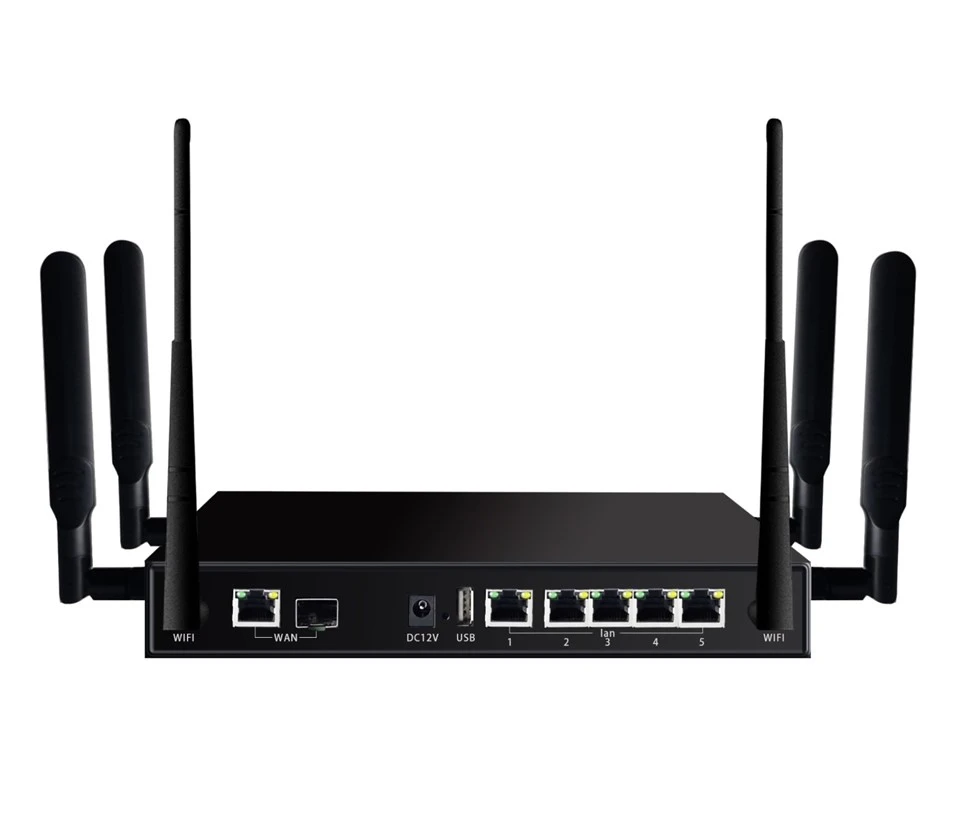
Ensure a reliable power source is available for continuous device operation.
Select an installation location with sufficient LTE signal strength.
Use external antennas, place the router near windows or higher areas, and avoid obstructions like thick walls or metal structures.
If installed outdoors, the CPE and its components must be properly sealed and weatherproofed.
Route power and data cables neatly and securely to prevent damage and ensure easy maintenance.
Confirm connectivity across your devices and adjust the router's position for the best signal.
How to Place Your Order
Send us your order list (models/quantities/specification).
We will send you PROFORMA INVOICE (PI) with shipping cost and Payment information for your confirmation.
You arrange payment after you confirmed proforma invoice, we will arrange production after received your payment notice.
We will arrange delivery after your payment arrived and goods ready,and at the same time we will tell you goods tracking number so that you could know your goods condition by this number from courier site.
You will receive your order in about 3-5 days after goods ship out.
Packaging & Shipping
|
Trade Terms: |
FOB, CIF, CFR, etc |
|
Price Terms: |
T/T, Western Union, Paypal, L/C, RMB, Credit Card |
|
Lead Time: |
Generally, if the goods are in stock, shipment can be arranged within 3 working days; If the goods need to be mass produced, delivery time may be around 7-10 working days. |
|
Shipment: |
Express, Air, Sea |
|
Package Information: |
Standard carton package with the original package |
Video
Patents & Certificates
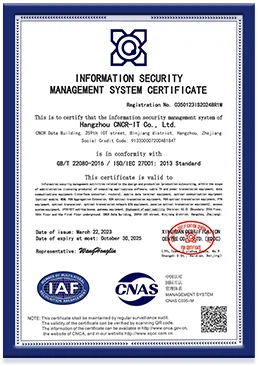
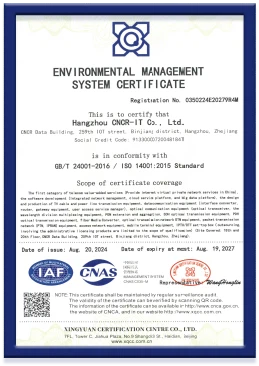
In pursuing innovation of cutting-edge technologies, CNCR has been publishing patents every year.


Factory Environment


FAQ
We're well-known as one of the leading lte cpe manufacturers in China since 1999, specialized in providing high quality customized products. Welcome to buy cheap lte cpe for sale here from our factory. For price consultation, contact us.
gpon mdu with link aggregation, fiber optic gpon mdu solution, access for technology